Analog heritage. Macintosh spirit.
Classic scanners.
A new frontier.
Bring your Fujifilm Frontier workflow to the Mac. Connect your scanner, organise your images and take each roll from receipt to delivery.
Explore FrontierBridge ↗ Watch the demo ▶
SP-2000 / SP-3000 · macOS 15+ · Currently in beta
01 / The Image Library · Made for macOS
A place for every order.
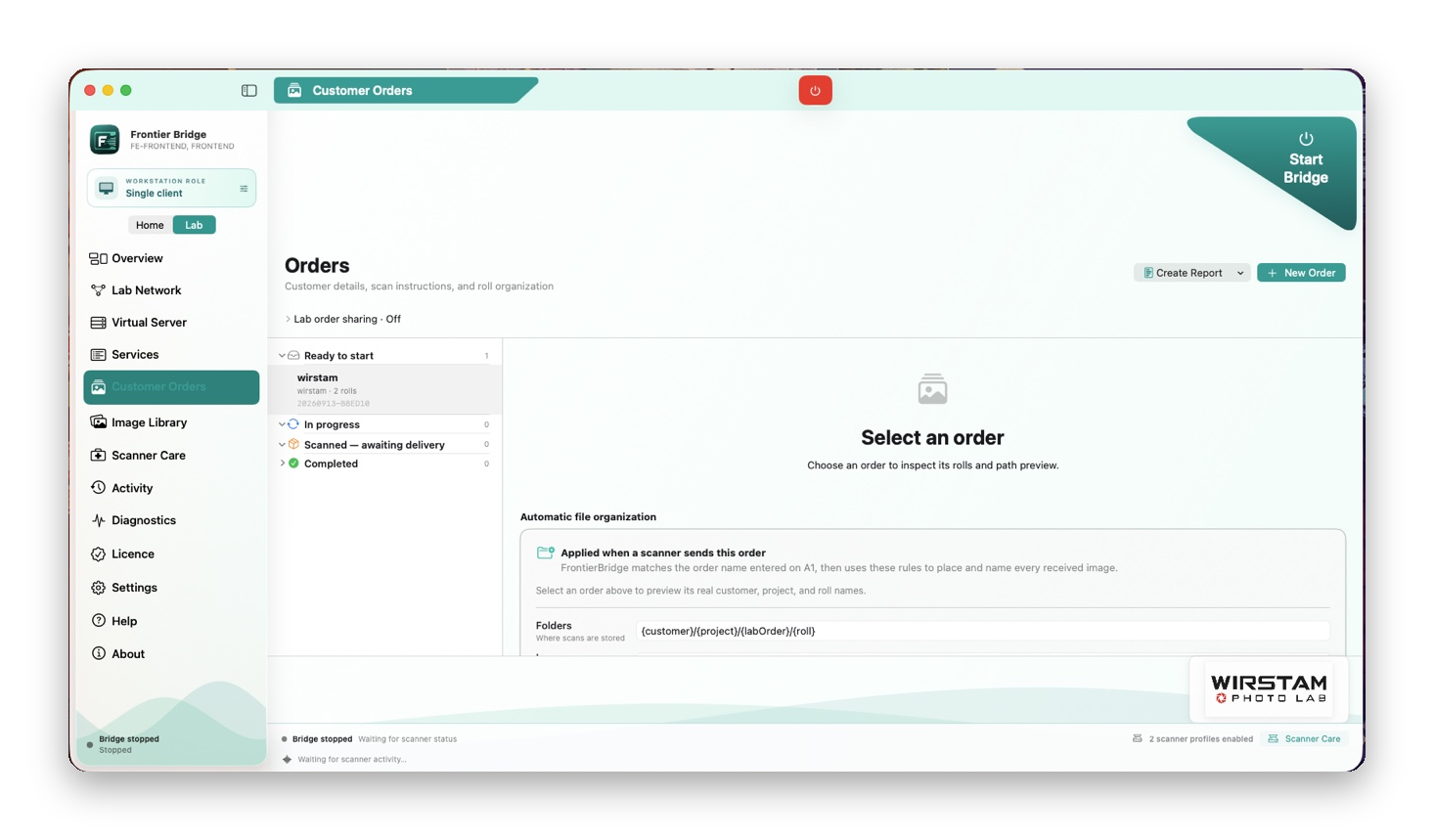
Manage customer orders alongside your scanning workflow. Keep delivery choices and local output tasks close to the work they belong to.
Customer Orders Delivery settings Local output
One Mac.
Or a whole lab.
[ H ]At home
A focused single-scanner workspace. Choose your saved Home scanner and keep your attention on the roll in front of you.
[ L ]In the lab
A shared local-network workflow with saved scanner profiles, workstation roles and guided scanner handovers. Lab availability depends on your licence.
A few
practical details.
The next chapter of your Frontier
Old-school soul.
Modern Mac workflow.
Explore the current beta, read the release notes and find out how FrontierBridge fits your setup.
FrontierBridge by Wirstam Photo Lab.
FRONTIERBRIDGE · MACINTOSH EDITION
Developed by Andreas Wirstam.
Independent software. Fujifilm and Frontier are trademarks of their respective owners.
Andreas Wirstam · Contact · Back to top ↑
-
FrontierBridge is developed around Fujifilm Frontier SP-2000 and SP-3000 workflows. Your scanner controller, software and network setup still matter. Ask about your particular configuration before changing a working lab.
-
The current minimum is macOS 15. Universal beta builds include Apple silicon and Intel versions. Hardware and scanner validation vary by configuration; check the release notes for the build you plan to use.
-
FrontierBridge is currently in beta. Features and setup guidance continue to evolve. Read the release notes and beta instructions before testing it in your workflow.
-
Use the official releases page for downloads and release notes. For setup questions or to discuss your scanner configuration, get in touch through the contact page.
Your scans.
A familiar workspace.
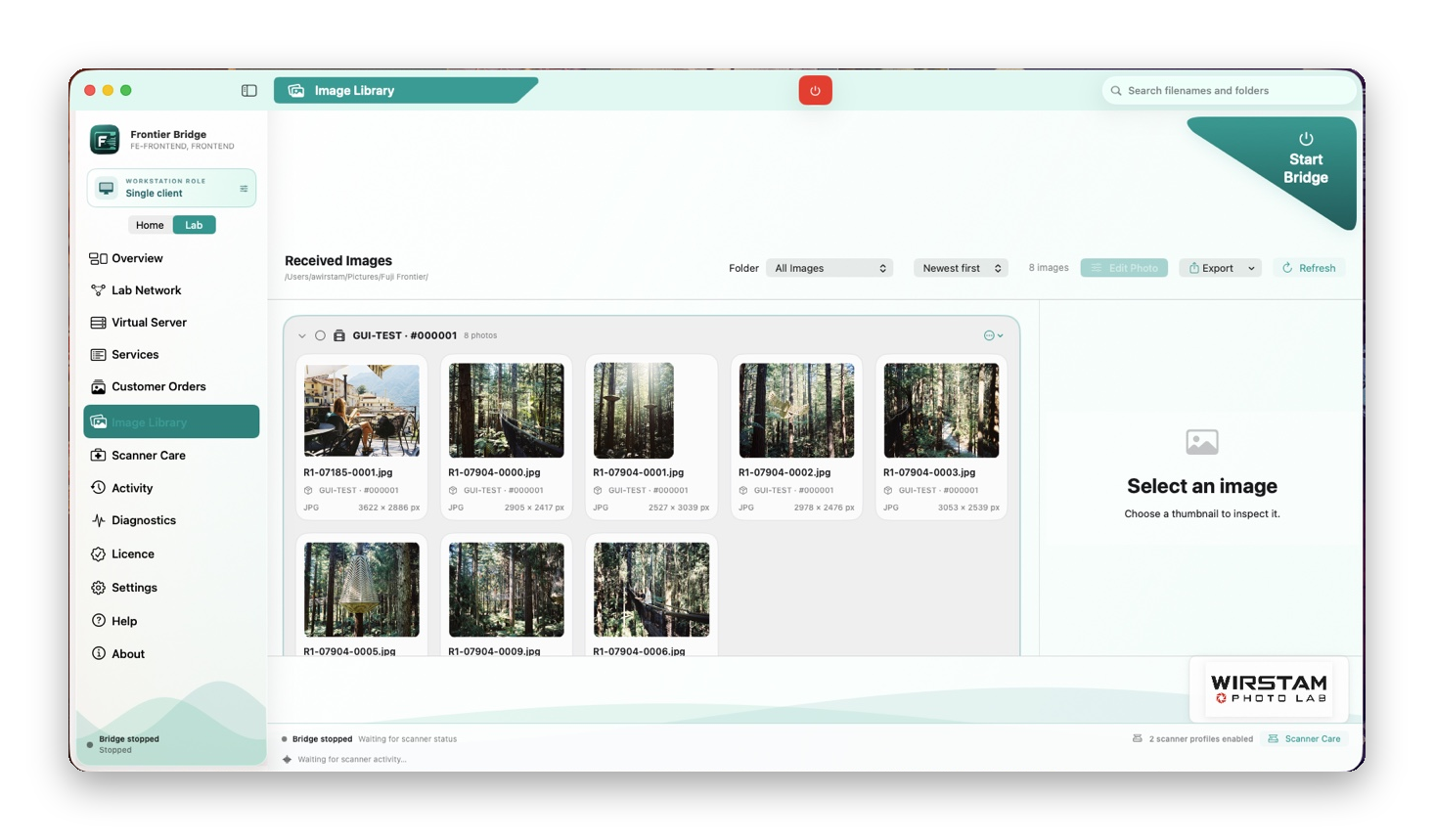
Browse received images by order and roll, inspect the details and prepare your next export in the Image Library.
Image Library Roll organisation Export tools
See the bigger picture.
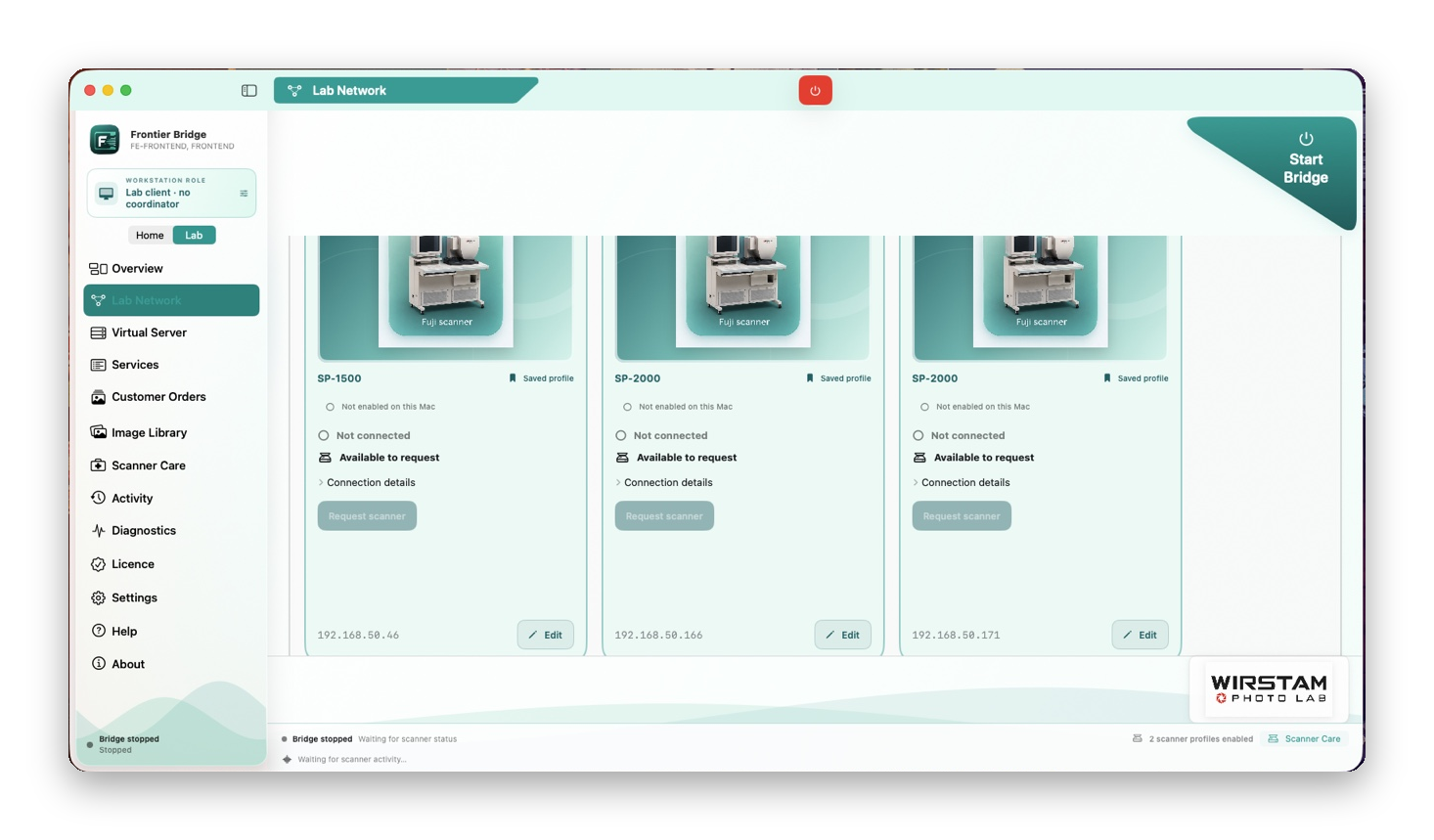
Bring clients, operators and saved scanner profiles into one Lab Network view, with explicit scanner assignment and handover controls.
Lab Network Scanner profiles Operator workflow
From the scanner to the final folder
Keep the character.
Simplify the workflow.
A closer look
at the bridge.
Take a tour of FrontierBridge, from your scanner connection to the images in your library.
Analog heritage. Macintosh spirit.
Classic scanners.
A new frontier.
Bring your Fujifilm Frontier workflow to the Mac. Connect your scanner, organise your images and take each roll from receipt to delivery.
SP-2000 / SP-3000 · macOS 15+ · Currently in beta
Press play / See the workflow
A closer look
at the bridge.
Take a tour of FrontierBridge, from your scanner connection to the images in your library.
Product showcase · Interface and features may change during beta.
From the scanner to the final folder
Keep the character.
Simplify the workflow.
01 / Receive & review
Your scans.
A familiar workspace.
Browse received images by order and roll, inspect the details and prepare your next export in the Image Library.
02 / Organise the work
A place for every order.
Manage customer orders alongside your scanning workflow. Keep delivery choices and local output tasks close to the work they belong to.
03 / Connect the lab
See the bigger picture.
Bring clients, operators and saved scanner profiles into one Lab Network view, with explicit scanner assignment and handover controls.
Choose your workspace
One Mac.
Or a whole lab.
At home
A focused single-scanner workspace. Choose your saved Home scanner and keep your attention on the roll in front of you.
In the lab
A shared local-network workflow with saved scanner profiles, workstation roles and guided scanner handovers. Lab availability depends on your licence.
Before you start
A few
practical details.
Which scanners is it built for?
FrontierBridge is developed around Fujifilm Frontier SP-2000 and SP-3000 workflows. Your scanner controller, software and network setup still matter. Ask about your particular configuration before changing a working lab.
What Mac do I need?
The current minimum is macOS 15. Universal beta builds include Apple silicon and Intel versions. Hardware and scanner validation vary by configuration; check the release notes for the build you plan to use.
Is FrontierBridge finished?
FrontierBridge is currently in beta. Features and setup guidance continue to evolve. Read the release notes and beta instructions before testing it in your workflow.
Where can I find downloads and help?
Use the official releases page for downloads and release notes. For setup questions or to discuss your scanner configuration, get in touch through the contact page.
The next chapter of your Frontier
Old-school soul.
Modern Mac workflow.
Explore the current beta, read the release notes and find out how FrontierBridge fits your setup.

FrontierBridge by Wirstam Photo Lab.